

Real-time variable plotter and SWO viewer for microcontrollers
MCUViewer plots live variable values, profiles interrupts down to the cycle, and records high-speed signals straight off your target - no extra wiring, no stopping the MCU, using the debug probe already on your desk. Works with STM32, MSP, any Cortex-M, C2000 and many more.
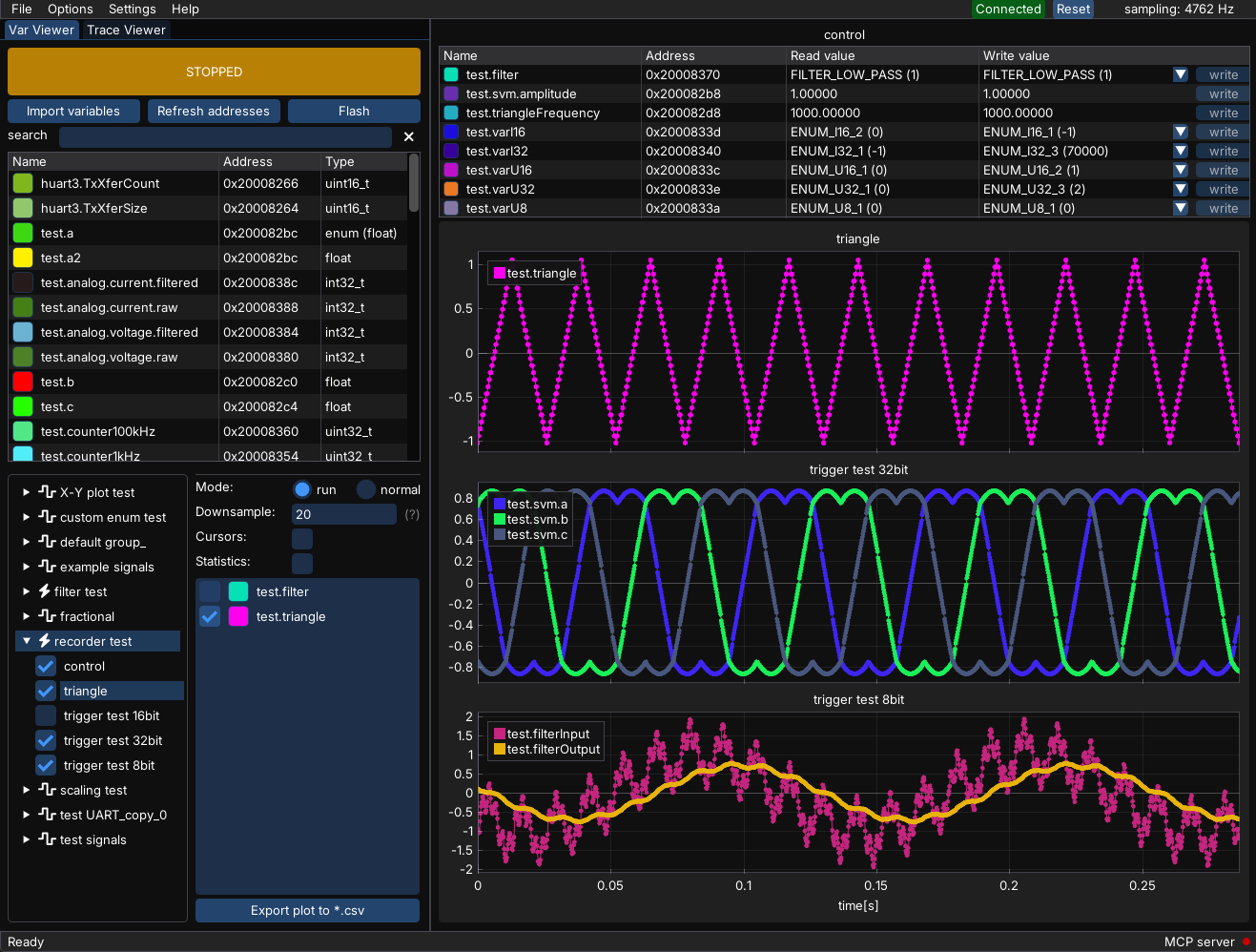
See how easy it is to start
You already have all the tools - a debug probe and the *.elf file of your project.
Variable plotting
Pick your *.elf file, choose the probe, drag variables onto a plot and press start. Live values straight from RAM - no code changes, no halting the core.
See the tutorial →SWO plotting
Add one register write around the code you want to measure and see interrupt timing and high-speed signals over a single SWO pin.
See the tutorial →Works with the hardware already on your desk
Microcontrollers
Debug probes
A motor controller, instrumented live
Position control and the d/q current-loop response of a motor controller, captured with a sampling group for the low-frequency signals and the recorder module for the high-speed current data - no stopping the target, no extra wiring - just the ST-Link.
Up and running in under five minutes
Try MCUViewer now! Make sure to check out the variable plotting and SWO plotting tutorials.
Evaluate for free. Unlock more for larger projects.
Need an offline site license, unlimited seats, evaluation license, or an invoice with an PO number? Talk to us.
| Free €0 | Enterprise €99 / seat / year | Perpetual €256 / station | |
|---|---|---|---|
| Live variables | 20 variables | Unlimited | Unlimited |
| Recorder | 5 variables | Unlimited | Unlimited |
| Trace viewer | 5 channels | 10 channels | 10 channels |
| Usage | Evaluation only | Commercial use | Commercial use |
| Expires | — | After 1 year | Never |
| Updates | All versions | While subscribed | 1 year included, renewable |
| Support | Community | Priority support | Priority support |
| Download | Buy now | Buy now |
Working on a cool personal project and would like to get a license for free? Apply here.
Frequently asked questions
Why do I need MCUViewer when I already have STM32CubeMonitor?
The best way to find out is to give MCUViewer a try. You get a much faster project setup, intuitive data manipulation right on the plots, a built-in recorder and SWO plotting with TraceViewer. MCUViewer is built for debugging and tracking down issues, whereas STM32CubeMonitor is primarily a dashboard tool.
Is MCUViewer an alternative to STM Studio?
Yes. ST no longer develops STM Studio and points its users to STM32CubeMonitor. MCUViewer covers the same job - watching and changing variables from your *.elf file while the MCU runs - on Windows, Linux and macOS, and with J-Link and OpenOCD probes as well as ST-Link.
Is MCUViewer the same as STMViewer?
Yes. MCUViewer was called STMViewer until September 2024, when it was renamed because it was no longer limited to STM32: it gained J-Link and OpenOCD support and, through the serial driver, works with practically any MCU. Articles and forks that mention STMViewer refer to its early, open-source versions - the latest release is always available in the downloads section.
Does MCUViewer halt or slow down my firmware?
No. The Variable Viewer reads RAM through the debug port while the core keeps running, and needs no changes to your code. While it is considered noninvasive, it might introduce minimal overhead. The Trace Viewer costs a single ITM register write per sample. Only the Recorder and the serial driver need a small piece of code added to the firmware.
Which microcontrollers and debug probes are supported?
STM32, RP2040, MSPM0 and any other Arm Cortex-M or RISC-V target, through an ST-Link, a J-Link or any probe that works with OpenOCD, such as CMSIS-DAP or the Raspberry Pi Debug Probe. Targets without a supported probe, such as TI C2000, work over UART with the serial driver. SWO tracing needs a Cortex-M3, M4, M7 or M33 core and an ST-Link or J-Link.
How can I make a purchase?
Use the Buy now button above or contact us for a direct purchase. We usually respond within a couple of minutes.
How does the Enterprise license work?
The Enterprise license is an online license: seats are purchased for a team and are not assigned to a specific PC. Once a seat has been taken, a few hours have to pass before it can be reassigned. The PC has to be connected to the internet and pass the connection test in the General Settings window.
How does the Perpetual license work?
The Perpetual license is an offline license assigned to a specific PC. After the purchase you receive an activation link, where you paste the HWID read from MCUViewer. The license can then be downloaded and loaded into MCUViewer. It never expires and works with all versions released within a year of the purchase. You can renew it whenever you need a newer version. Patches are included even after the 1-year period, if there are any.
Can I move a Perpetual license to another PC?
Yes, reassigning is possible, but the number of activations is limited and you can’t do it yourself. Please contact us for details.
I have a large team and I’d like to get a custom offer.
No problem! We can offer customized versions of the licensing options above or work out a custom solution tailored to your needs. Don’t hesitate to contact us!
Contact us
Questions about licensing, a feature, or a bug? Send us a message.
Stay in the loop
Occasional email when a new stable release or major feature ships. No spam.